Observable ICP criteria
Define industry, geography, size proxies, event windows, and exclusions before reviewing results.

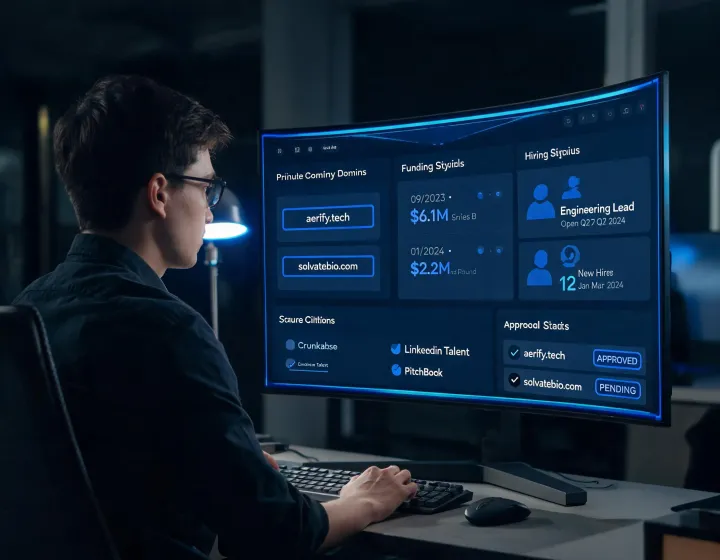
CRM enrichment and buying-signal research
RB2B helps an AI agent research private companies, reconcile identity clues, and preserve the source and date behind material claims. Signals remain hypotheses until a person confirms relevance, permissions, and outreach readiness.
Open the installation runbookSix operating controls
Define industry, geography, size proxies, event windows, and exclusions before reviewing results.
Compare operating name, domain, headquarters, subsidiaries, and dated events before merging records.
Keep funding, leadership, acquisition, and hiring observations attached to their reported dates.
Explain why a professional function may matter without pretending that a title proves responsibility.
Separate verified evidence, configuration-dependent output, unresolved values, and analyst inference.
Check relevance, suppression, regional requirements, and contact verification before any sending step.
Data and security ledger
Configuration-dependent. Record each provider, permitted purpose, available provenance, and freshness behavior.
Required practice. Keep secrets outside prompts, repositories, exports, screenshots, and shared diagnostic logs.
Inspect locally. Review package prompts, network destinations, retries, errors, and output locations before production use.
Policy-controlled. Decide access, correction, suppression, retention, and deletion for company and contact records.
Four-state runbook
npx -y @okki-global/okki-go-taroballClipboard confirmation does not mean installation succeeded.
Execute in a supported terminal; inspect the package prompt, permissions, and completion output.
Store provider credentials in runtime secrets with the minimum scope required by the task.
Test known companies and check identity, source dates, unresolved fields, exclusions, and destinations.
Practical boundaries
No. It is a dated organizational signal that may justify research. Budget, urgency, fit, and authority still require separate evidence and review.
No. Coverage varies by source and market. Preserve unknown values instead of replacing them with unsupported inference.
Use an environment secret store with minimum scope. Never paste keys into prompts, source control, screenshots, or exported research.
Research output should remain disconnected from sending until a person checks professional relevance, suppression, opt-out language, and applicable regional rules.
Use a cohort containing known positives, exclusions, stale events, renamed companies, and ambiguous domains. Score fields and evidence separately.
A successful run confirms package execution only. It does not establish data quality, lawful use, inbox placement, response rates, or commercial fit.